

Documentation Index
Fetch the complete documentation index at: https://docs.clicks.tech/llms.txt
Use this file to discover all available pages before exploring further.
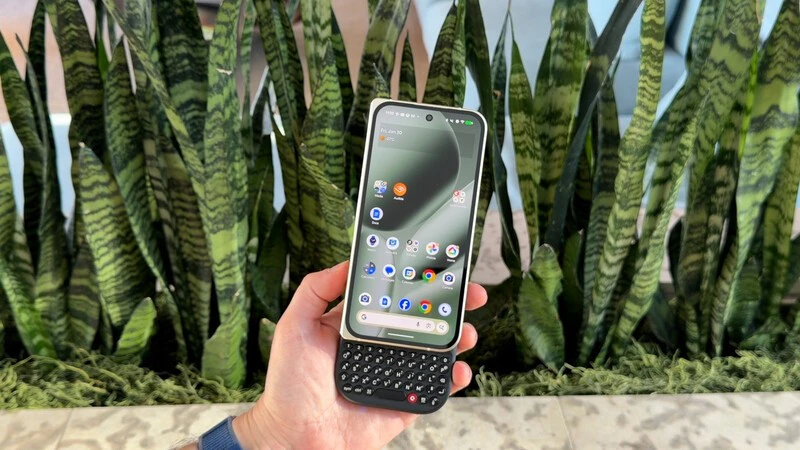
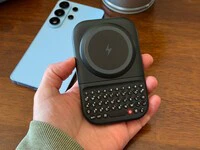
Clicks Power Keyboard changes the typing experience completely on Android, resulting in fewer typos, freeing up screen space, and giving you a new way to control your smartphone (and smart home).If you’ve been curious about the latest keyboard accessory from Clicks, let’s dive into some of the reasons why you might want to make this part of your everyday carry.
Universal Compatibility
The Power Keyboard was designed to work with your Android right out of the box. If you’ve heard Apple users talk about MagSafe (the magnetic connection to attach different accessories to your phone) Qi2 is the latest version of this you’ll find on Android phones.- The Magnetic Connection: It attaches using strong MagSafe or Qi2 magnetic connections. If your phone supports Qi wireless charging but lacks magnets, you can simply use a magnetic-compatible case to achieve a secure fit.
- Three Slider Positions: Our hardware team engineered a triple-position slider to ensure a perfect fit:
- Standard: For base models like the Pixel 10 or Galaxy S25.
- Extended: For “Ultra” and “Pro Max” sized phones.
- Landscape: Rotates to support document and spreadsheet editing in a wider view.
- Case Compatible: There’s no need to strip your phone bare; Power Keyboard is designed to work with your existing cases.
Why Buttons? Reclaiming the Mobile Experience
The shift from physical keys to glass was meant to give us more, but in many ways, it gave us less. Here is why we brought buttons back to the forefront:Setting Up The Clicks Power Keyboard
The Clicks Power Keyboard connects via Bluetooth (BLE 5.4). This eliminates the need for physical port alignment, making it compatible with everything from standard Galaxy models to Folding Pixel smartphones. To set up your Power Keyboard: To set up your Power Keyboard:Pairing Mode: When you power on the keyboard for the first time it will automatically enter pairing mode.
Clear a Channel for a New Device
If you want to pair a new device or remove a previously paired one, you can easily clear a channel:- Select the channel: Press POWER + channel number (e.g., POWER + 1 for channel 1).
- Clear the channel: Press SYM + 0.
- Ready to pair: That channel is now cleared and available to add a new device. This makes it simple to switch between devices or refresh your pairing without any hassle.
How It Works
Getting started with Power Keyboard is seamless, leveraging Bluetooth for a wireless connection that persists even if the keyboard isn’t physically attached to your phone.- Backlit Precision: Type confidently in any environment with adjustable keyboard backlighting.
- Dedicated Number Row: We included a dedicated row for numbers, making it significantly faster to enter phone numbers or data into spreadsheets.
- The Clicks App: Available on the Play Store, the Clicks app allows you to customize key behavior, manage power settings, and update firmware.
- System Navigation: Use common Android shortcuts like Ctrl + C (Copy), Ctrl + V (Paste), or Search to move through your phone with lightning speed.
2-in-1 Benefit
The Power Keyboard is a multi-purpose tool designed for the modern ecosystem.Versatility Beyond the Phone
While the Power Keyboard is an incredible phone companion, the perks of keeping this in your pocket don’t end there. It’s a universal tool for any smart screen:- Tablets: Pair it with your tablet for a lightweight typing solution that beats the bulk of a full-size keyboard case.
- Smart TVs: Stop struggling with clunky remotes; use Power Keyboard to type in passwords and search for content on your TV.
- AR/VR & Gaming: In immersive environments where virtual keyboards are frustrating, Power Keyboard provides the tactile feedback needed for purposeful interaction.
Read more
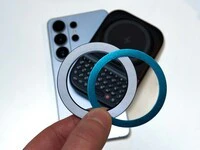
Samsung's Phones Don't Have Magnets But You Can Still Use Power Keys
The Clicks Power Keyboard relies on a high-strength magnetic connection to “snap” onto the back of your smartphone. While this is a native feature for some devices, Samsung Galaxy phones just refuse to adopt this feature. Having a built-in magnetic ring in the chassis is standard with many other phones, but not galaxy devices. At least not as of 2026. Having no magnetic ring on…
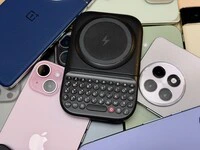
Which Phones is the Clicks Power Keyboard Compatible With?
One of the most frequent questions we receive is whether the new Clicks Power Keyboard will fit a specific phone model. While our original keyboard cases were precision-engineered for specific flagship models. The Power Keyboard marks a significant shift toward universal, cross-device compatibility. Because Power Keys uses a magnetic attachment system rather than a wrap-around…
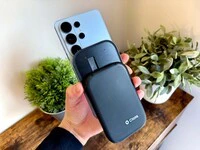
Clicks Power Keyboard: The Samsung Galaxy Compatibility Guide (2021–2026)
One of the most frequent questions we get at Clicks is: “Will it fit my phone?” With the launch of the Clicks Power Keyboard, the answer is almost certainly yes. Unlike our original case-style keyboards, the Power Keyboard uses a universal magnetic slider. This means that as long as your phone has a way to attach to a magnet (built-in, through a compatible case, or by adding a magnetic…
The Samsung Users' Guide to Clicks Power Keyboard
For years, the Samsung Galaxy experience has involved a silent trade-off. We gained some of the most stunning mobile displays in the world, but we keep losing that real estate to the digital keyboard any time we try and get stuff done. The moment you need to reply to a Slack message or draft an email, that virtual keyboard slides up and consumes nearly half of that beautiful Infinity…