

Documentation Index
Fetch the complete documentation index at: https://docs.clicks.tech/llms.txt
Use this file to discover all available pages before exploring further.
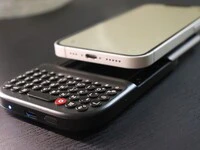
If you are an iPhone 17e user and you’re wondering if you can finally get the precision and speed of a physical QWERTY layout on your smartphone, the answer is absolutely!Here is everything you need to know about how these two devices work together.
Native Precision: The MagSafe Connection
The Clicks Power Keyboard is designed to be universal and pocketable. Unlike our original iPhone cases that wrapped around the device, the Power Keyboard attaches to smartphones using a high-strength MagSafe or Qi2 magnetic connection. For the iPhone 17e community, this is a significant upgrade. While previous “e” series models (like the iPhone 16e) lacked internal magnets, the iPhone 17e features native MagSafe support. This means the Power Keyboard will snap directly onto the back of your phone with perfect alignment, no extra hardware required.iPhone Compatibility Table
The Power Keyboard is a versatile tool that functions as both a Bluetooth keyboard and a wireless power bank. Here is how it integrates across the iPhone line-up:| iPhone Model | Native Magnetic Attachment? | Wireless Charging Support? | Keyboard Functionality? |
|---|---|---|---|
| iPhone 17 / Pro / Pro Max / Air | Yes (Native Qi2) | Yes | Yes |
| iPhone 17e | Yes (Native MagSafe) | Yes | Yes |
| iPhone 16 / Pro / Pro Max / Plus | Yes (Native MagSafe) | Yes | Yes |
| iPhone 16e | Via MagSafe Case/Ring | Yes | Yes |
| iPhone 15 / 14 / 13 / 12 Series | Yes (Native MagSafe) | Yes | Yes |
| iPhone SE (3rd Gen) | Via MagSafe Case/Ring | Yes | Yes |
| iPhone 13 Mini / 12 Mini | Yes (Native MagSafe) | Yes | Yes |
More Than Just a Keyboard: Power Your iPhone 17e
The “Power” in Power Keyboard comes from its integrated 2,300 mAh battery. When your iPhone 17e is magnetically attached, the keyboard acts as a functional wireless power bank.- Wireless “Top-Up”: Use the Clicks App to manage your power. You can set the keyboard to wirelessly charge your iPhone or reserve that energy strictly for typing to ensure you never run out of “clicks.”
- Landscape Productivity: Rotate your iPhone 17e to landscape and slide the keyboard out. This creates a “mini-laptop” experience that is perfect for editing documents or navigating complex spreadsheets without an on-screen keyboard blocking your view.
- Multi-Device Flow: The Power Keyboard supports three Bluetooth profiles. You can stay paired with your iPhone 17e, your iPad, and even your Apple TV simultaneously, switching between them with a quick keyboard shortcut (Power + 1, 2, or 3).
Experience Consistent, Confident Typing
Whether you’re working your way through emails on a flight or drafting scripts in a café, the Clicks Power Keyboard brings a consistent, confident typing experience to your iPhone 17e. By moving the keyboard off the glass and into your hands, you finally get to see 100% of that beautiful 6.1-inch display. It’s time to stop pecking at glass and start typing with intention.Read more
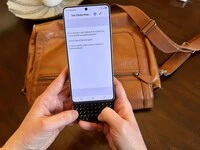
Does the Clicks Power Keyboard Work with Samsung Galaxy Phones?
At Clicks, we believe your technology should work for you, not against you. Since the beginning, we’ve been dedicated to helping people reclaim their screen real estate and rediscover the precision that only a physical keyboard can provide. With the launch of the Clicks Power Keyboard, we’re bringing that high-performance tactile experience to a massive new world of devices…
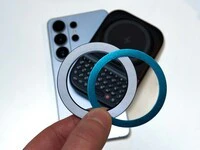
Samsung's Phones Don't Have Magnets But You Can Still Use Power Keys
The Clicks Power Keyboard relies on a high-strength magnetic connection to “snap” onto the back of your smartphone. While this is a native feature for some devices, Samsung Galaxy phones just refuse to adopt this feature. Having a built-in magnetic ring in the chassis is standard with many other phones, but not galaxy devices. At least not as of 2026. Having no magnetic ring on…
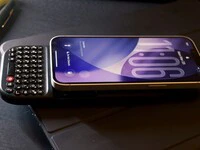
The iPhone 17e Users' Guide to Clicks Power Keyboard
The iPhone 17e is a capable and lower-cost iPhone. Since you’re saving some cash on the hardware, it’s a little easier to spend your money on accessories to improve the phone experience. In this article, we’ll show you how to get up and running with the Clicks Power Keyboard on iPhone 17e.
Which Phones is the Clicks Power Keyboard Compatible With?
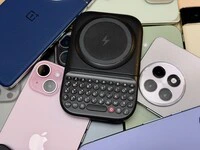
One of the most frequent questions we receive is whether the new Clicks Power Keyboard will fit a specific phone model. While our original keyboard cases were precision-engineered for specific flagship models. The Power Keyboard marks a significant shift toward universal, cross-device compatibility. Because Power Keys uses a magnetic attachment system rather than a wrap-around…