

Documentation Index
Fetch the complete documentation index at: https://docs.clicks.tech/llms.txt
Use this file to discover all available pages before exploring further.
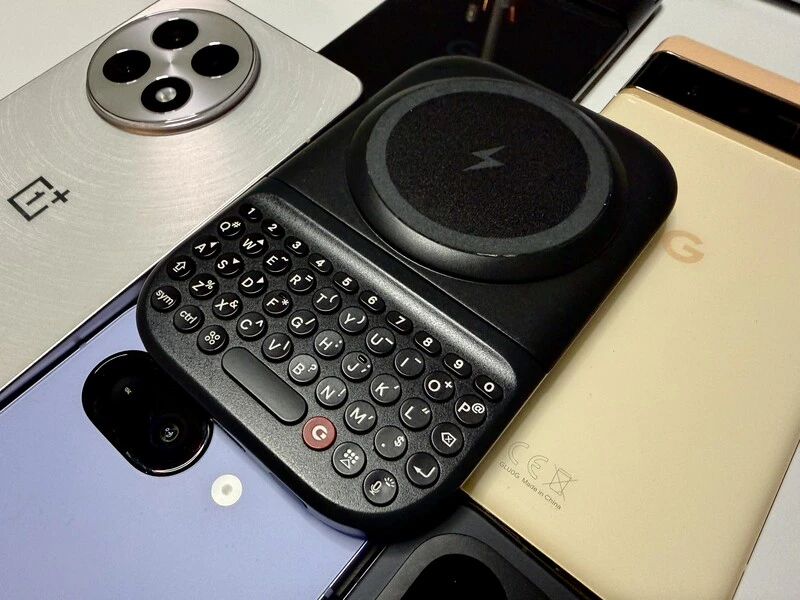
“Power Keys” maximizes compatibility. No magnetic connector on your phone? No problem!If your current phone lacks a built-in magnetic array (like the MagSafe or Qi2 found on newer models), you can still experience the tactile joy of Power Keys. Here is how to stay in your flow, regardless of your hardware.
Simple Solutions for Your Phone
If your phone doesn’t have native magnets, you aren’t left out. The Clicks Power Keyboard connects via Bluetooth, meaning the magnetic attachment is primarily for physical stability and wireless charging.1. Add an Adhesive Magnetic Ring
You can add a magnetic connection to almost any phone by applying a low-cost adhesive magnetic ring to the back of your phone or your current case. These are widely available at major retailers and allow the keyboard’s strong magnets to snap securely into place.2. Purchase a MagSafe-Compatible Case
Many manufacturers now build magnetic arrays directly into cases for non-magnetic phones. Power Keys is specifically designed to work with existing cases. When you pick up one of these cases for your Android phone, you can easily snap the Clicks Power Keyboard to your case, adding a physical QWERTY layout to your smartphone.3. Handheld Bluetooth Mode
You don’t have to attach the keyboard to your phone (or tablet, or TV streaming box, or console) to use it. You can simply use it as a standalone, handheld wireless keyboard. While this setup won’t wirelessly charge your phone, you’ll have the full 2,300 mAh battery dedicated to powering the keyboard itself, ensuring weeks of typing on a single charge.Beyond Your Phone: A Universal Tool
If your phone isn’t your primary focus for tactile input, the Clicks Power Keyboard earns its keep by bringing precision to other “noisy” digital environments:- Tablets: Tackle typing tasks on a plane or at a café without the bulk of a full-size keyboard case.
- Smart TV: Replace cumbersome on-screen keyboards. Entering passwords or searching for content becomes fast and frustration-free.
- AR/VR Headsets: In immersive environments where virtual keyboards are slow, the tactile feedback of Power Keys enables more purposeful use.
Getting Connected
Setting up your Power Keyboard is very simple and we have a guide for Android users as well as iPhone users. The Clicks Power Keyboard works with so many different devices around your home. It can easily be paired to your iPad, Apple TV, or VisionPro and quickly switch between multiple devices. Whether it’s magnetically attached to your smartphone, or wirelessly connected to any gadgets in your smart home, the Clicks Power Keyboard is going to be one of the handiest pieces of tech you’ll use every day.Read more
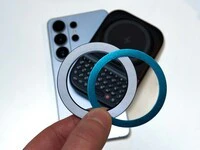
Samsung's Phones Don't Have Magnets But You Can Still Use Power Keys
The Clicks Power Keyboard relies on a high-strength magnetic connection to “snap” onto the back of your smartphone. While this is a native feature for some devices, Samsung Galaxy phones just refuse to adopt this feature. Having a built-in magnetic ring in the chassis is standard with many other phones, but not galaxy devices. At least not as of 2026. Having no magnetic ring on…
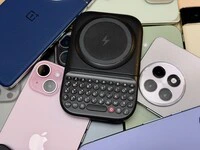
Which Phones is the Clicks Power Keyboard Compatible With?
One of the most frequent questions we receive is whether the new Clicks Power Keyboard will fit a specific phone model. While our original keyboard cases were precision-engineered for specific flagship models. The Power Keyboard marks a significant shift toward universal, cross-device compatibility. Because Power Keys uses a magnetic attachment system rather than a wrap-around…
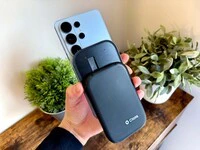
Clicks Power Keyboard: The Samsung Galaxy Compatibility Guide (2021–2026)
One of the most frequent questions we get at Clicks is: “Will it fit my phone?” With the launch of the Clicks Power Keyboard, the answer is almost certainly yes. Unlike our original case-style keyboards, the Power Keyboard uses a universal magnetic slider. This means that as long as your phone has a way to attach to a magnet (built-in, through a compatible case, or by adding a magnetic…
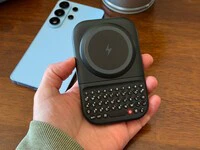
The Samsung Users' Guide to Clicks Power Keyboard
For years, the Samsung Galaxy experience has involved a silent trade-off. We gained some of the most stunning mobile displays in the world, but we keep losing that real estate to the digital keyboard any time we try and get stuff done. The moment you need to reply to a Slack message or draft an email, that virtual keyboard slides up and consumes nearly half of that beautiful Infinity…